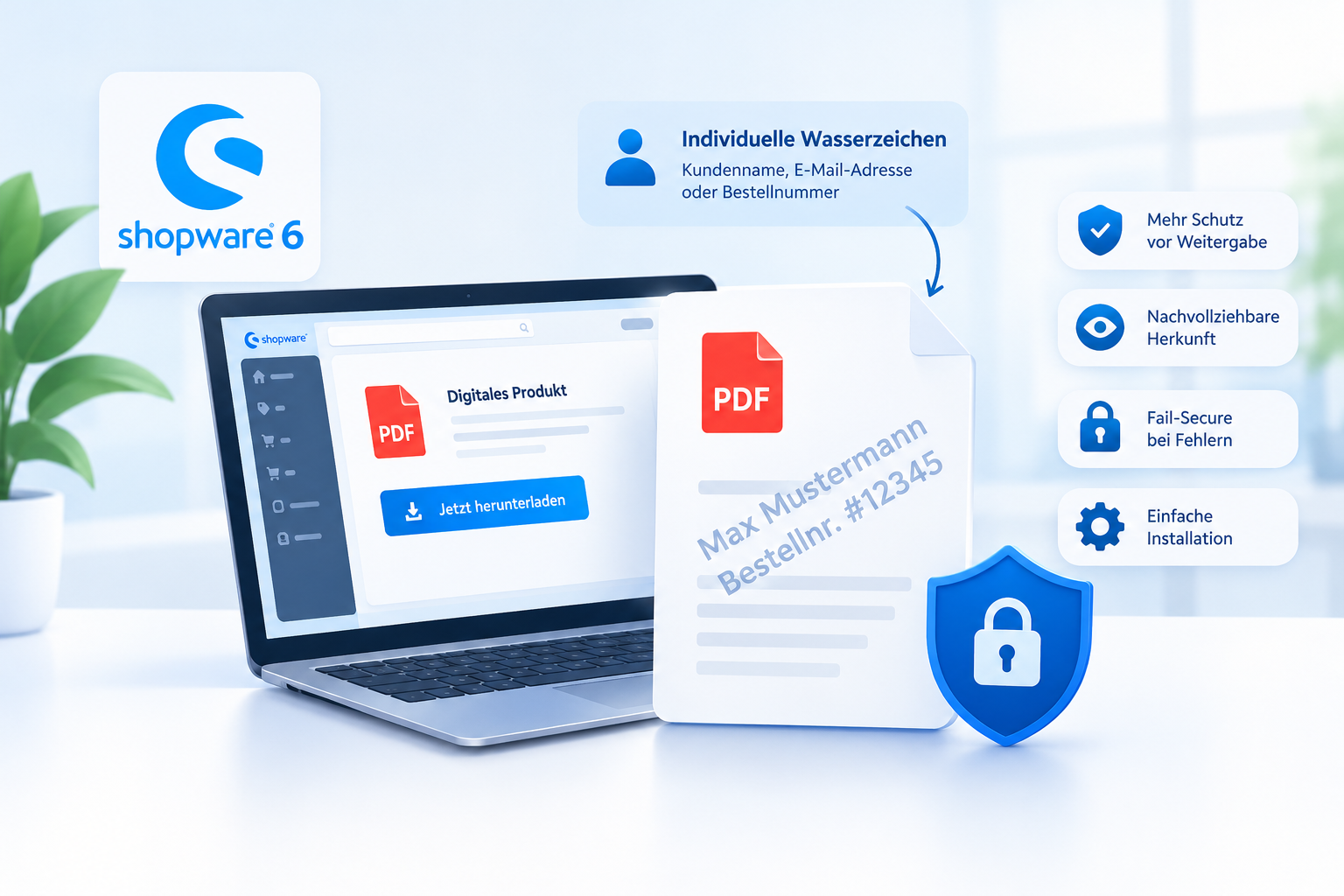
Digital products offer many advantages for online merchants. They can be sold without shipping costs, become available immediately after purchase, and can be delivered an unlimited number of times. Whether you sell e-books, technical manuals, training materials, documentation, or digital handbooks, a single PDF file can be distributed to many customers.
However, this convenience also creates a challenge. Once a file has been downloaded, it can no longer be controlled in the same way as a physical product. Customers can store it, forward it, or upload it to other platforms. In the worst-case scenario, a paid product becomes publicly available even though it was intended exclusively for paying customers.
For merchants selling digital products through Shopware 6, this raises an important question: How can unauthorized file sharing be discouraged without making the purchase and download process unnecessarily complicated?
One possible solution is the personalization of PDF files through individual watermarks. A downloaded PDF can, for example, be marked with the customer’s name, order number, or another suitable identifier. This can make it easier to trace the origin of a file that later appears elsewhere.
This guide explains how personalized PDF watermarks work, the protection they can provide, their limitations, and what Shopware merchants should consider when implementing them.
1. Why Protecting Digital PDF Products Matters
With physical products, the number of sold copies is naturally tied to the number of available products. Digital files are different. A single PDF can be duplicated and distributed to countless recipients within seconds.
This affects a wide variety of business models:
- E-books and professional publications: Purchased content is shared in forums, cloud storage services, or other platforms.
- Online courses and training materials: Worksheets, scripts, and educational resources are distributed beyond the intended audience.
- Technical documentation: Detailed manuals and specialized information are passed on without authorization.
- Templates and digital resources: Premium checklists, spreadsheets, and design assets are copied or resold.
- B2B documents: Price lists, product catalogs, and confidential proposals reach unintended recipients.
Not every instance of sharing is automatically unlawful. The legality depends on licensing rights, contractual agreements, and applicable laws. Nevertheless, merchants face a commercial risk whenever content is distributed outside its intended audience.
An effective protection strategy therefore needs to achieve two goals simultaneously: legitimate customers should be able to access and use their purchases easily, while unauthorized distribution should become less attractive and easier to trace.
2. What Is a Personalized PDF Watermark?
A watermark is text or a graphic element embedded into a PDF file. It can be placed across a page, within the header or footer, along the margins, or subtly in the background.
Traditional watermarks are identical for every recipient. A file may, for example, contain the publisher’s name or a label such as “Confidential”.
A personalized PDF watermark goes one step further by customizing the document for each individual recipient. Possible identifiers include:
- Customer name
- Order number
- Customer ID
- Email address, where appropriate and legally justified
If a watermarked file is later discovered on a public platform, the merchant may be able to determine which order it originated from. This does not automatically prove that the original purchaser distributed the file, but it can provide a useful starting point for further investigation.
Dynamic Watermarks vs. Static PDF Files
The key difference lies in when the personalization takes place.
With a static watermark, a PDF is created once and delivered unchanged to every customer. This approach is simple but offers no buyer-specific identification.
With a dynamic watermark, the PDF is personalized at the time of download. Merchants can continue using a single source file while each customer receives an individualized copy.
This offers several advantages:
- No need to manually edit the source file for every customer.
- Different customers receive different identifiers.
- The watermarking process can be integrated directly into the existing download workflow.
- The source of a leaked file may be easier to narrow down.
The technical implementation is crucial. The personalization must actually occur during delivery. A simple notice on the product page or a watermark that is already permanently embedded in the original PDF does not provide the same functionality.
3. Why a PDF Password Alone Is Not Enough
A common approach to PDF protection is password encryption. Depending on the implementation, this can prevent unauthorized users from opening a file or using certain functions.
However, for commercial digital products, password protection has practical limitations. The password must be delivered securely to legitimate customers. More importantly, once a customer can open the file, they may still create an unprotected copy, capture screenshots, print the content, or share it through other means. PDF permission settings that restrict copying or printing are not always reliably enforced across all environments and software.
Personalized watermarks pursue a different goal. Rather than making redistribution technically impossible, they associate a file with its intended recipient and can increase the perceived risk of unauthorized sharing.
| Protection Method | Primary Purpose | Main Limitation |
|---|---|---|
| PDF Password | Restrict access to a file | Authorized recipients may still share the content. |
| Static Watermark | Identify the publisher or confidentiality status | No buyer-specific identification. |
| Personalized Watermark | Recipient-specific identification | Does not provide complete protection against removal or circumvention. |
| Access Control | Limit downloads to authorized users | Does not automatically prevent redistribution after download. |
| Combination of Multiple Methods | Reduce different types of risk | Additional complexity and possible usability barriers. |
These approaches are not mutually exclusive. For highly sensitive content, combining multiple protection methods may be advisable. For standard e-books, manuals, and similar products, personalized PDF watermarks often provide a practical and user-friendly level of protection.
4. How a PDF Watermark Plugin Works in Shopware 6
If digital products are sold directly through an online store, the personalization process should require little to no additional work from the merchant. Nobody wants to manually download, modify, save, and send PDF files after every order.
For this reason, a PDF watermark plugin for Shopware 6 should ideally integrate directly into the download workflow. A typical process looks like this:
- The customer purchases a digital product. The order is processed normally within the store.
- The customer starts the PDF download. The plugin integrates into the existing download workflow.
- The PDF is personalized. A unique watermark is added to the file.
- The customer receives the watermarked PDF. Delivery is performed automatically.
For merchants, this means that PDF personalization becomes part of the delivery process rather than an additional manual step within order fulfillment.
Why Automation Matters
Manually personalizing PDF files may seem manageable with a small number of orders. However, once sales volume increases, manual processes quickly become inefficient and error-prone.
Common problems with manual processing include:
- An order is overlooked.
- The wrong file is assigned to a customer.
- An unprotected original PDF is delivered by mistake.
- The workload increases with every additional order.
An automated solution eliminates many of these manual tasks. What matters is not only whether a watermark is added, but also what happens if the watermarking process fails.
What Does Fail-Secure Mean for PDF Delivery?
An important security consideration is how failures are handled. If a PDF is supposed to be personalized but the watermarking process fails, the system should not silently deliver the original, unprotected file.
In this context, the fail-secure principle means that delivery is stopped if the watermark cannot be applied successfully. This helps ensure that processing errors do not accidentally bypass the intended protection.
At the same time, error handling should remain user-friendly. If a download cannot be completed, customers should receive a clear notification so they can retry the download or contact support.
5. What Information Should a PDF Watermark Contain?
The information displayed in a watermark affects traceability, privacy, and document readability.
Not every piece of information that is technically available should automatically be included in a watermark. The goal is to use enough information to identify a file later if necessary, while avoiding unnecessary disclosure of personal data.
| Identifier | Advantage | Considerations |
|---|---|---|
| Customer Name | Easy for humans to understand immediately | Names are not always unique. |
| Order Number | Links the file to a specific purchase | Requires access to order records. |
| Customer ID | Facilitates structured identification | Should not be exposed unnecessarily. |
| Email Address | Can simplify identification | Contains personal data and directly identifies an individual. |
| Name + Order Number | Combines readability with precise identification | Requires sufficient space and careful design. |
For many merchants, an order number or a combination of the customer name and order number provides a good balance between usability and traceability. Whether an email address is necessary should be evaluated separately.
Where Should the Watermark Be Placed?
A watermark must achieve two goals: it should remain visible while avoiding unnecessary disruption to the reading experience.
- Footer: Discreet and unobtrusive, but easier to remove through cropping or certain display formats.
- Header: Highly visible, especially in documents with a clear page structure.
- Diagonal Across the Page: Harder to overlook completely, but may affect readability.
- Subtle Background Watermark: Preserves readability but may become difficult to notice if opacity is too low.
An e-book with long text passages has different requirements than a confidential price list or technical specification sheet. In larger documents, the watermark should not obscure important content. For particularly valuable content, repeating the watermark across multiple pages may provide better protection than displaying it only on the first page.
6. Protection for E-Books, Manuals, and Other Digital Products
The effectiveness of personalized PDF files largely depends on the type of content being sold and the likelihood of unauthorized distribution.
E-Books and Professional Publications
Authors, publishers, and specialized online stores often sell content whose value is based on expertise, research, and editorial work. A personalized watermark can clearly indicate that a document was delivered to a specific customer. If the document later appears on a public platform, the watermark may provide a starting point for further investigation.
Manuals and Technical Documentation
Businesses frequently distribute detailed installation guides, operating manuals, and technical documents. A customer-specific watermark can help narrow down the source of a leaked copy. For confidential or internal documentation, access controls should also be considered. A watermark alone is not a substitute for a proper authorization concept.
Templates, Checklists, and Digital Resources
Digital templates are particularly easy to copy and redistribute. Examples include PDF-based calculation templates, worksheets, business templates, and premium checklists. If such products represent an important part of a merchant's revenue, personalized watermarking may be a useful protective measure.
Training Materials and Educational Content
Course providers, trainers, and educational organizations frequently supply participants with scripts, worksheets, and supporting resources. Personalized watermarks can help discourage distribution outside the intended audience. It should be remembered, however, that not every form of sharing is automatically prohibited. Licensing terms, course conditions, and applicable legal exceptions still apply.
7. B2B Use Cases: Price Lists, Quotations, and Confidential Documents
Personalized PDF watermarks are not only useful for traditional digital download products. They can also provide significant value in B2B sales and document distribution.
Businesses often send customer-specific price lists, product catalogs, technical specifications, and quotations to commercial clients. Such documents may contain information that is not intended for public distribution.
A recipient-specific watermark can make it easier to identify the source of a leaked document. This can be particularly valuable when the same information is shared with multiple business partners.
Common use cases include:
- Dealer catalogs and wholesale price lists
- Product information for resellers and distribution partners
- Technical documentation
- Individual quotations and proposals
- Training materials for partners and employees
It is important to understand that a watermark alone does not make a document confidential and cannot reliably prevent redistribution. For sensitive business information, watermarks should be combined with clear usage policies, appropriate access controls, and, where necessary, additional technical safeguards.
8. Privacy Considerations for Personalized PDF Watermarks
If customer names, email addresses, or other personal identifiers are included in PDF files, privacy requirements should be considered from the beginning.
The use of personal data within a watermark is not automatically compliant with privacy regulations simply because it serves an anti-abuse purpose. Factors such as the purpose of processing, the legal basis, data minimization, transparency, and the specific implementation all need to be evaluated.
The following principles are particularly important:
- Data Minimization: Only include the information that is genuinely required for identification purposes. For example, an order number may reveal less personal information than a full email address.
- Transparency: Customers should be clearly informed that downloaded PDF files are personalized and why this is done. This information can be included in product descriptions or during the download process.
- Purpose Limitation: The watermark should serve a clearly defined purpose, such as helping identify redistributed copies.
- Storage and Access Control: Evaluate which customer and order data are necessary for future identification and who should have access to those records. The visible watermark should contain only the information that is truly required.
- Proportionality: Depending on the product and target audience, a less identifying reference may be sufficient. An order code may be more appropriate than displaying a customer's full email address.
Regulations such as the GDPR include principles relating to lawful processing, purpose limitation, and data minimization. Whether a specific implementation complies with applicable privacy laws depends on the individual circumstances. A PDF watermark plugin does not automatically make a store privacy compliant.
If there is uncertainty regarding the legal basis or implementation details, merchants should seek appropriate legal or privacy guidance.
9. How Effective Are PDF Watermarks Against Piracy?
A personalized watermark is primarily a deterrence and traceability mechanism, not an unbreakable copy protection system. Understanding this distinction is important when evaluating its effectiveness.
A recipient may attempt to remove a watermark using editing software, crop pages, or transfer the content into another format. If screenshots or photographs of pages are taken, the visibility of the watermark may depend on its design and placement.
Nevertheless, personalized watermarking can still be valuable because it changes the incentives for individuals considering unauthorized distribution. A visible customer name or order number can make anonymous sharing less attractive.
This may provide three practical benefits:
- Deterrence: Recipients know that the file contains identifying information and that distribution may be traceable.
- Traceability: If a copy is discovered, the watermark may provide a starting point for further investigation.
- Documentation: The watermarked file, together with related order data, may help document relevant circumstances if misuse is suspected.
A watermark alone does not prove who distributed a file or whether any distribution was unlawful. A document may become publicly available for reasons unrelated to the original purchaser.
What Additional Protection Measures May Help?
For high-value or particularly sensitive digital products, combining multiple protection mechanisms may be appropriate:
- Control download permissions.
- Link downloads to specific orders or customer accounts.
- Limit the number of downloads or the validity period of download links where appropriate.
- Clearly define usage terms and licensing conditions.
- Restrict access to confidential documents to authorized recipients only.
- Preserve evidence and investigate suspected misuse where necessary.
Not every store requires all of these measures. For merchants selling standard digital manuals or guides, automated PDF watermarking may already represent a practical and balanced level of protection. Highly sensitive B2B documentation may require a more comprehensive security strategy.
10. Integrating PDF Watermarks Directly into Shopware 6
Merchants already using Shopware 6 to sell digital products typically prefer a solution that integrates seamlessly into their existing workflow rather than introducing an entirely separate system.
An integrated approach allows customers to continue downloading purchased files through the standard Shopware process while PDF personalization takes place automatically in the background.
A dedicated PDF Watermark Plugin for Shopware 6 can be particularly useful when the following requirements exist:
- Every PDF download should be personalized automatically.
- The watermark should include customer-specific or order-specific information.
- The original source file should not require manual modification for individual customers.
- Personalization failures should not silently result in the delivery of an unprotected file.
- The purchasing and download experience should remain straightforward for customers.
What Should Merchants Consider When Choosing a Plugin?
Not every PDF watermark solution provides the same functionality. Before selecting a plugin, merchants should evaluate several practical factors.
1. Is personalization fully automated?
The solution should integrate with the existing download workflow and not require manual processing for every order.
2. Is the watermark truly individualized?
A static logo or generic notice is not the same as a watermark generated dynamically from customer or order data.
3. How are errors handled?
If watermarking fails, the protection mechanism should not be silently bypassed.
4. Are external services required?
For many merchants, a solution integrated directly into Shopware is easier to manage than a workflow relying on multiple third-party services. Any dependencies should be verified in the plugin documentation.
5. How does personalization affect downloads?
PDF files vary significantly in size and complexity. Especially for large documents or high download volumes, merchants should ensure that processing performance remains acceptable under real-world conditions.
Performance and Download Speed
Generating personalized PDFs requires additional server-side processing. The actual performance impact depends on factors such as file size, page count, server resources, and the PDF library used.
For this reason, it would be unrealistic to claim that every PDF can be processed instantly under all circumstances. Merchants selling large manuals, extensive catalogs, or products with substantial download volumes should test performance carefully.
Error handling is equally important. A robust implementation must not only work under normal conditions but should also handle corrupted PDF files, unsupported documents, and temporary processing failures gracefully.
11. Cost-Benefit Analysis: When Is a PDF Watermark Plugin Worth It?
Whether an additional protection measure makes economic sense depends on more than just the purchase price of a plugin. The value of the content being sold, the risk of unauthorized distribution, and the effort required for manual personalization are often more important factors.
Consider a simple example. A merchant sells a digital technical manual for €39 and generates €3,900 in gross revenue from 100 sales. This does not mean that every unauthorized copy automatically represents a lost sale. Not every recipient of a shared copy would have purchased the product.
However, uncontrolled distribution can still reduce demand and create additional costs, such as investigating leaked copies or enforcing licensing rights.
There is also a second economic consideration: the value of saved labor.
If each PDF had to be personalized manually, the workload could be estimated using the following formula:
Monthly Time Requirement = Downloads per Month × Minutes per File ÷ 60
For example, if a merchant processes 100 downloads per month and each file requires four minutes of manual work, the result is approximately 6.7 working hours per month. At an internal hourly cost of €35, this corresponds to roughly €233 in labor costs.
This example illustrates the potential value of automation when manual personalization would otherwise be necessary. In practice, some merchants do not personalize files manually at all, while others have already implemented custom automation. Automated PDF processing may also introduce its own technical costs.
As a result, each merchant should evaluate the actual benefits within the context of their own business processes. The value may come from reducing manual workload, improving protection, or simplifying the management of large numbers of downloads. A specific increase in revenue or guaranteed reduction in copyright infringement cannot be assumed.
12. Best Practices for Effective and User-Friendly PDF Watermarks
A watermark is only effective if it fulfills its intended purpose without negatively affecting the customer experience. The following best practices can help achieve that balance.
- Maintain Readability: Avoid covering important content. For long documents, a subtle watermark is often preferable to a large, highly visible overlay.
- Choose an Appropriate Identifier: Select information that makes future identification possible while minimizing the amount of personal data that is exposed.
- Protect Original Files: If personalization is intended for all deliveries, ensure that the original, unwatermarked PDF cannot accidentally be accessed through an alternative download route.
- Test Failure Scenarios: Verify how the system behaves when encountering corrupted PDFs, unsupported files, or temporary processing errors.
- Consider Large Documents: Test realistic document sizes and download volumes instead of relying solely on a small sample file.
- Inform Customers: Clearly explain that PDF downloads are personalized and why individual identifiers are included.
- Evaluate Additional Protection Measures: For highly sensitive content, access controls and clear usage policies may provide valuable additional protection.
A strong protection strategy is not defined by imposing the maximum number of restrictions. Instead, it should reduce actual business risks while still providing legitimate customers with straightforward access to the products they have purchased.
13. The PDF Watermark Plugin for Shopware 6
For merchants selling digital products through Shopware 6, automated PDF personalization provides a practical way to integrate document protection directly into the existing sales and delivery workflow.
The PDF Watermark Plugin for Shopware 6 by BitByBitCreation was developed specifically for this purpose. It automatically adds individual watermarks to delivered PDF files, such as the customers name or order number.
The solution focuses on three practical benefits:
- Automated Personalization: Watermarks are applied automatically during the download process without requiring manual file editing.
- Fail-Secure Behavior: If watermark generation fails, delivery is stopped rather than silently providing an unwatermarked file.
- Simple Integration: The plugin is designed for merchants who want to protect PDFs directly within Shopware 6 without introducing separate manual workflows.
The plugin is particularly suitable for stores selling e-books, digital manuals, educational resources, technical documents, and other PDF-based products that benefit from individualized download protection.
While a watermark cannot completely prevent unauthorized sharing, it can make the origin of distributed files more transparent and reduce the anonymity associated with redistribution.
If you sell PDF-based digital products through Shopware 6 and are looking for an integrated personalization solution, you can find additional details here:
PDF Watermark Plugin for Shopware 6 – Product Details and Installation
14. Frequently Asked Questions About PDF Protection in Shopware 6
Can a PDF Watermark Prevent a File from Being Copied?
No. A visible watermark is not a complete copy-protection mechanism. Its primary purpose is identification, deterrence, and traceability. Depending on the circumstances, it may be possible to remove or circumvent a watermark.
Why Should a Watermark Be Personalized for Every Download?
When each customer receives an individually marked version of a PDF, different copies can be distinguished from one another more easily. If a file later appears on a public platform, the watermark may help identify the order associated with that particular copy.
What Information Is Suitable for a Personalized Watermark?
Common options include the customer's name, order number, or customer ID. Email addresses may also be used, but privacy implications should be carefully evaluated before including them.
Is a PDF Password Better Than a Watermark?
The two methods address different objectives. A password restricts access to a file, while a personalized watermark focuses on identification and traceability. Depending on the security requirements, both methods can be used together.
Are Personalized Watermarks Automatically GDPR-Compliant?
No. Whenever personal data is included, factors such as legal basis, purpose limitation, data minimization, and transparency obligations must be taken into account. The implementation should always be evaluated in the context of the specific business model.
Does Personalization Create Additional Work for Customers?
With an automated integration, watermarking occurs as part of the normal download process. Customers do not need to perform any additional steps. The exact workflow depends on the Shopware 6 integration.
Can PDF Watermarks Be Used for B2B Documents?
Yes. PDF watermarks can be useful for customer-specific price lists, product catalogs, technical documentation, and similar business documents. However, they should not be viewed as a replacement for proper access controls and confidentiality agreements.
Does PDF Personalization Affect Download Speed?
Generating personalized PDFs requires additional server resources. The actual impact depends on factors such as PDF size, page count, server performance, and processing complexity. Merchants should conduct realistic testing when working with large files or high download volumes.
Conclusion: Protect PDF Downloads in Shopware 6 Effectively
Merchants selling digital products cannot fully control what happens to a file after it has been downloaded. However, personalized PDF watermarks provide a practical method of identifying delivered documents and improving traceability.
Unlike static watermarks, dynamic watermarking generates a personalized PDF for each recipient. This allows merchants to maintain a single source file while automatically creating individualized downloads without manual intervention.
Watermarks are not an unbreakable copy-protection solution and should not replace access controls, licensing terms, or legal review. When implemented correctly, however, they can form a valuable part of a broader digital product protection strategy.
For Shopware 6 merchants looking to automate the process, a dedicated PDF Watermark Plugin provides a convenient way to personalize downloads automatically and eliminate the need for manual file processing.